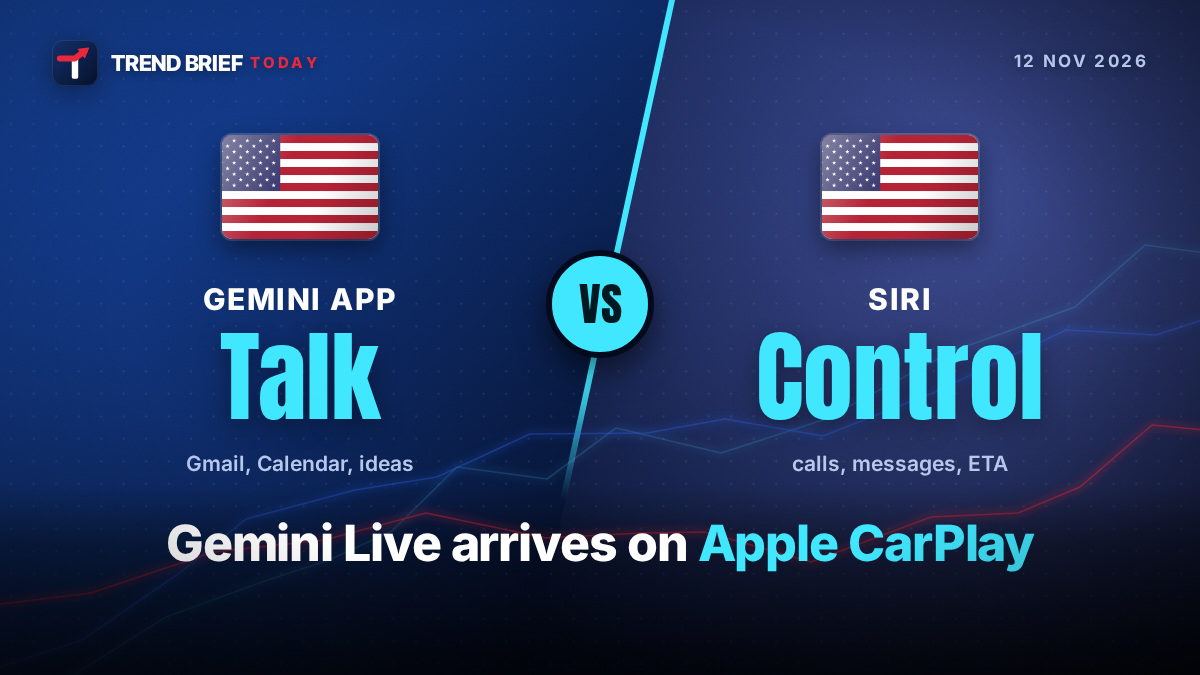
Google's Gemini app now works on Apple CarPlay. Google started rolling it out worldwide on Wednesday, November 11, 2026, to every Gemini user on iPhone, in every language that Gemini Live supports. You tap the Gemini icon on the car screen and talk: ask what is on your calendar, hear a summary of unread email, find a lunch spot or practise a pitch, all by voice. You need the latest Gemini app, microphone access, one go at Gemini Live on the phone first, and an iPhone on iOS 26.4 or later. Below: what it does, how to set it up, what it cannot do, how it sits next to Siri, and what Android drivers get.[1][2][3]
 | |
| Announced | Wednesday, November 11, 2026[1][3] |
|---|---|
| Made by | Google (Gemini app for iPhone) |
| Where | Worldwide, in every supported Gemini Live language[1][6] |
| Needs | Latest Gemini app, microphone permission, Gemini Live used once on the phone[1][4] |
| iOS version | iOS 26.4 or later (CarPlay voice AI apps)[3][7] |
| Price | Free app; no paid plan named by Google[1][12] |
| How to start | Tap the Gemini icon on the CarPlay screen or side rail[1][2] |
| Before this | Gemini only inside Google Maps on CarPlay[3][4] |
What Google launched
Until this week, iPhone drivers could only reach Gemini through the Google Maps app on CarPlay. Now there is a full Gemini app on the CarPlay home screen, built around Gemini Live, the hands-free voice mode where you talk back and forth instead of typing.[3][4][5]
Google's own words: "Gemini on Apple CarPlay is rolling out globally starting today to all Gemini users on iOS across every supported Gemini Live language."[1] 9to5Mac and Android Authority both noted that the update had not yet reached their phones on launch day, so if you do not see the icon yet, give it a few days.[5][6]
When you open it, you can pick up a recent chat or start a new one. You can interrupt Gemini to add a detail, change the subject, or pause when you need to concentrate on a junction. Every conversation in the car is saved to the Gemini app's chat history on your iPhone, so you can read it once you park.[1][2][3] According to 9to5Google, the car screen shows a simple waveform that changes as Gemini listens, thinks and answers, with End and Mute buttons in the top-left corner.[2]
What you need
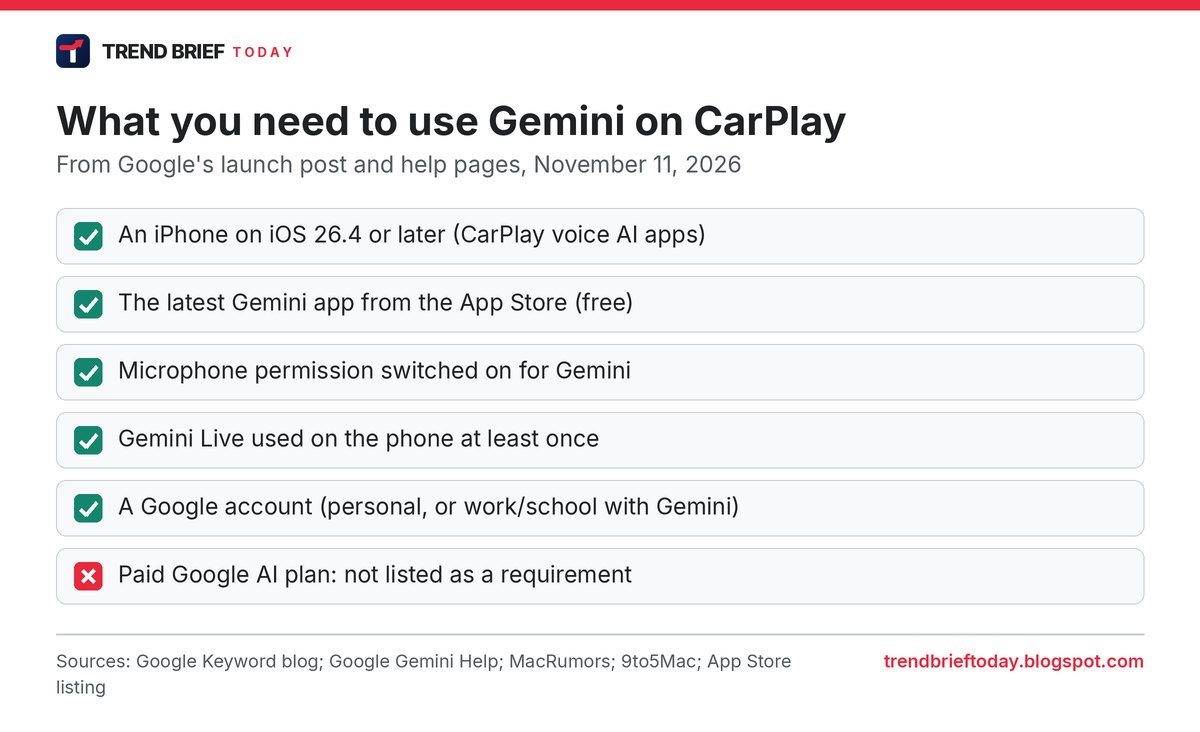
Google lists three steps: update the Gemini app on your iPhone to the latest version, turn on microphone permission, and use Gemini Live on the phone at least once. After that, the next time you connect to your car, the icon appears.[1][4][6]
There is one more condition Google's post does not spell out. Apple only opened CarPlay to "voice-based conversational apps" with iOS 26.4, released at the end of March 2026, so your iPhone has to be on iOS 26.4 or newer.[3][7] Gemini Live itself needs a personal Google account or a work or school account that has Gemini turned on, and you must be over 13 (or the minimum age where you live), according to Google's help page.[8]
The Gemini app is a free download on the App Store, and Google says the CarPlay app goes to "all Gemini users on iOS". It does not mention a paid plan as a requirement.[1][12]
How to set it up
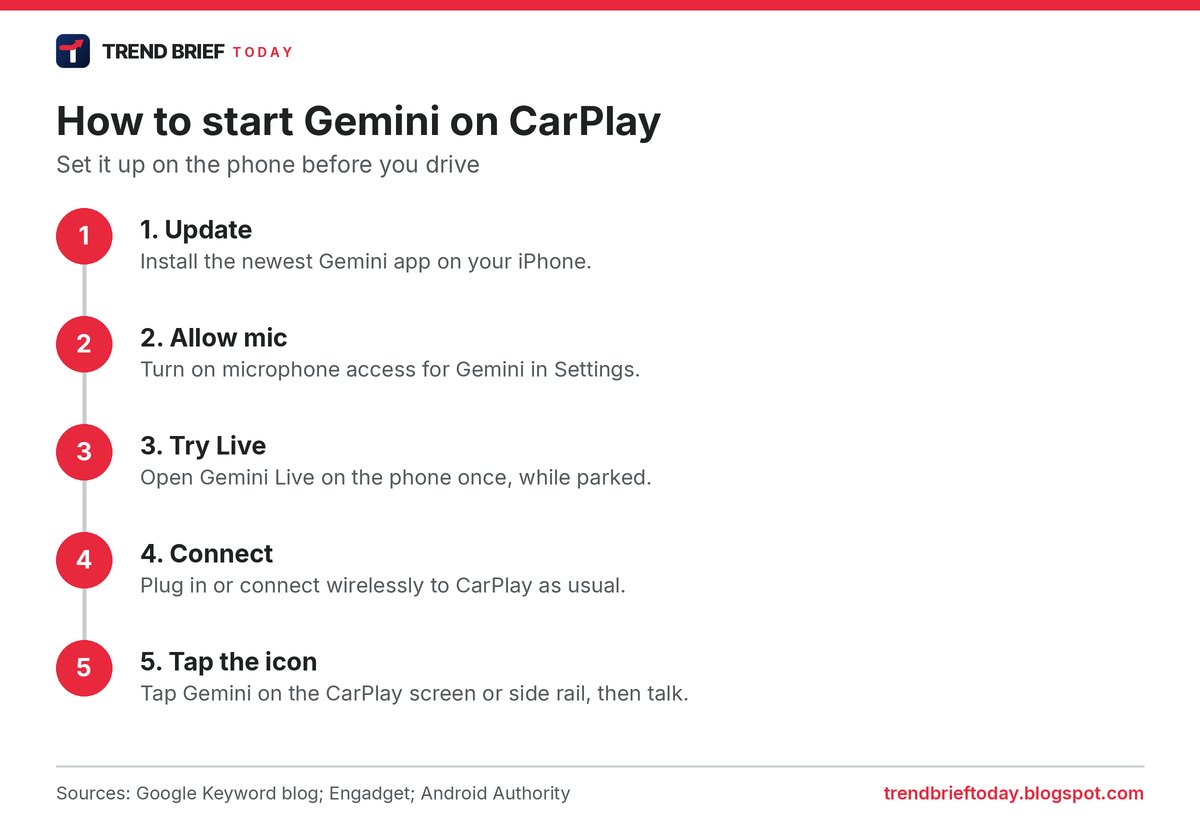
Do the first part at home, not on the road. The order below follows Google's instructions and the hands-on write-ups.[1][4][5]
- Check iOS. Settings, General, Software Update. You need iOS 26.4 or later.[7]
- Update Gemini. Open the App Store and install the newest Gemini app.
- Allow the microphone. In Settings, find Gemini and switch on Microphone.
- Try Gemini Live once. Open the Gemini app and start a Live chat while parked.
- Connect to CarPlay with your cable or wirelessly, as you normally do.
- Tap the Gemini icon on the CarPlay screen or in the side rail, then start talking or pick a recent chat.[1][2]
Google's launch post describes starting Gemini by tapping its icon. It does not mention a "Hey Google" wake word on CarPlay.[1][3]
What you can ask it
Google gave four kinds of example, and the same list appears across the coverage:[1][2][4][5]
- Plan the day. "What does my day look like?" Gemini can read your Google Calendar, tell you when to leave for the next appointment and help you prepare for a meeting.
- Go through email. Ask for your Daily Brief, catch up on unread Gmail, get a summary of a long thread and talk through a short reply.
- Find places. Ask for a quick lunch stop near where you are heading, or the story behind a landmark you are passing.
- Think out loud. Rehearse a presentation, role-play a tough conversation or have a topic explained in simple terms.
Two limits are easy to miss. Google's footnote says Daily Brief has to be switched on first, and that some personal features, Daily Brief included, are not offered to users under 18 or in the European Economic Area and Nigeria.[1] And if you are signed in with a work or school account, Google's help page says only Google Calendar, Google Keep and Google Tasks can currently be used inside Gemini Live chats, so Gmail summaries are a personal-account feature for now.[8]
What it cannot do
Gemini on CarPlay is a conversation app, not a remote control. Android Authority points out that it does not get deep device permissions, so it will not change your music, adjust the air conditioning or control other CarPlay apps.[5] That matches Apple's rules for this kind of CarPlay app: voice must be the main way you use it, and answers should be built for driving rather than showing text and pictures, as 9to5Mac quoted when ChatGPT arrived.[7]

Gemini vs Siri on CarPlay
Siri is still the built-in assistant. On CarPlay, Apple says Siri can make and return calls, play voicemail, read and send messages and share your ETA from Apple Maps.[11] iOS 27 also added a standalone Siri app that works on CarPlay.[3][6]
| Question | Gemini app | Siri |
|---|---|---|
| How you start it | Tap the Gemini icon[1] | Built into CarPlay |
| Open-ended voice chat | Yes, Gemini Live[1] | Yes, Siri app in iOS 27[3][6] |
| Gmail and Google Calendar | Yes (personal accounts)[1][8] | Not a Google app |
| Calls and messages | Not in Google's feature list | Yes[11] |
| Control other apps or the car | No[5] | Handles calls, messages and ETA[11] |
| Where chats are saved | Gemini chat history on iPhone[1][3] | Apple's Siri app |
In practice, many drivers will use both: Siri for calls, texts and directions, Gemini when they want to talk something through or need their Google inbox and calendar.
Gemini was the last big holdout
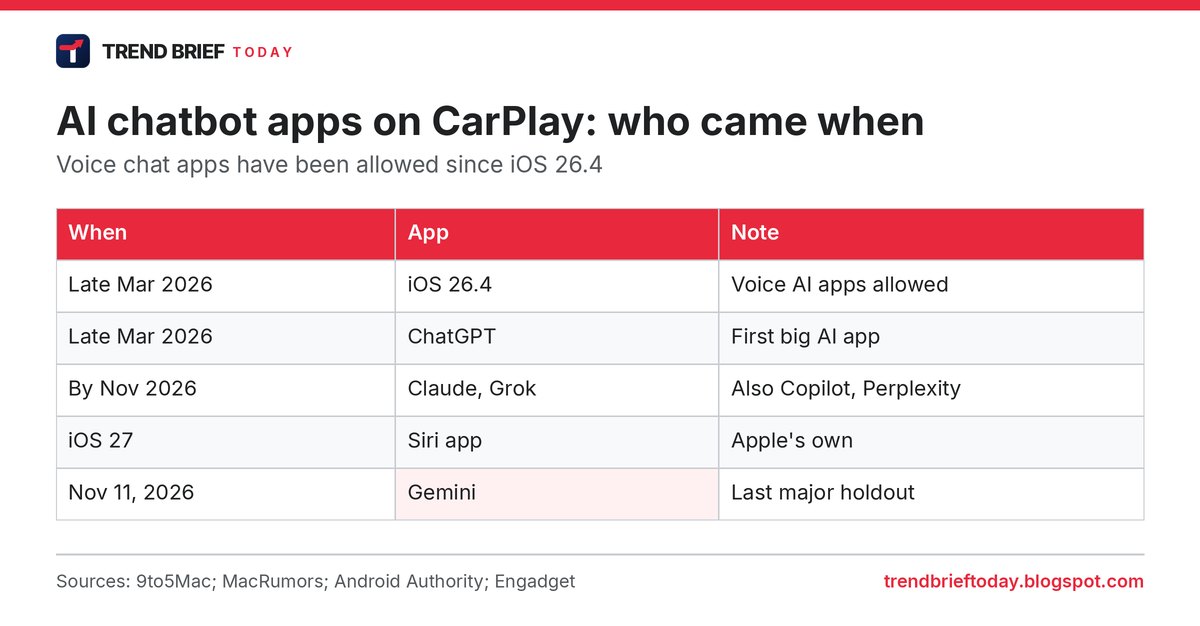
9to5Mac called Gemini "the last major AI chatbot holdout" on CarPlay.[6] ChatGPT was the first major AI app to add a CarPlay app, a few days after iOS 26.4 came out in late March 2026.[7] Claude, Grok, Copilot and Perplexity followed.[3][5][6]
What about Android Auto?
Google says the iPhone launch follows its earlier rollout of Gemini on Android Auto and in cars with Google built-in.[1][4] Android drivers with the right phone also get something new soon: Google said on November 10 that Pixel phones with Gemini Intelligence will bring "proactive suggestions" to Android Auto. Its example is a friend texting to ask where you are meeting, and Gemini finding the booking email and offering to send the address with one tap.[9][10] 9to5Google reports that for now this means the Pixel 10 and Pixel 11 series only.[10]
Safety and privacy
Google pitches the CarPlay app as a way to "minimize distraction", with hands-free voice and no reading required.[1][2] A long voice chat still takes some of your attention, so keep the setup steps for when you are parked and pause the chat in busy traffic; Gemini lets you stop and resume.[1]
Because car chats are saved to your Gemini history, anyone with access to your phone or Google account can read them later.[1][4] Google's help page also asks Live users to respect other people's privacy and ask permission before including them in a Live chat, which is worth remembering with passengers in the car.[8]
Frequently asked questions
Is Gemini on CarPlay free?
The Gemini app is free on the App Store, and Google says the CarPlay app is rolling out to all Gemini users on iOS. Google did not name a paid plan as a requirement.[1][12]
Why don't I see the Gemini icon on CarPlay?
Check that you are on iOS 26.4 or later, that the Gemini app is updated, that the microphone is allowed, and that you have used Gemini Live on the phone once. The rollout started on November 11 and may take a few days to reach everyone.[1][5][7]
Does it work in the UK, Canada and Australia?
Yes. Google says the rollout is global in every language Gemini Live supports. Daily Brief and some personal features are not offered in the European Economic Area, which does not include the UK.[1][6]
Can Gemini play music or call someone on CarPlay?
It is built for conversation. Android Authority says it does not control music, climate or other CarPlay apps, and Google's launch post does not list calls or texts. Use Siri or the car's controls for those.[5][11]
Was Gemini on CarPlay before?
Only inside Google Maps. The new standalone app adds Gemini Live and your Google apps.[3][4][5]
References
- "Talk it through with Gemini, now on Apple CarPlay". Google, The Keyword. November 11, 2026. blog.google
- Li, Abner. "Google rolling out Gemini app for CarPlay". 9to5Google. November 11, 2026. 9to5google.com
- Rossignol, Joe. "Google Says Gemini App Rolling Out on Apple CarPlay Starting Today". MacRumors. November 11, 2026. macrumors.com
- "Google brings the Gemini app to Apple CarPlay". Engadget. November 11, 2026. engadget.com
- Oberoi, Karandeep Singh. "Google brings the standalone Gemini app and Gemini Live to Apple CarPlay". Android Authority. November 11, 2026. androidauthority.com
- Hall, Zac. "Google Gemini coming to CarPlay". 9to5Mac. November 11, 2026. 9to5mac.com
- "ChatGPT app launches for CarPlay on iOS 26.4". 9to5Mac. March 31, 2026. 9to5mac.com
- "Talk naturally with Gemini Live". Gemini Apps Help, Google. Retrieved November 12, 2026. support.google.com
- "Gemini Intelligence: New features, on more devices". Google, The Keyword. November 10, 2026. blog.google
- Schoon, Ben. "Android Auto is getting a Gemini upgrade, but only if you use a Pixel". 9to5Google. November 11, 2026. 9to5google.com
- "CarPlay". Apple. Retrieved November 12, 2026. apple.com
- "Google Gemini" App Store listing. Apple App Store (US). Retrieved November 12, 2026. apps.apple.com